Can You Access Dash Cam Footage Remotely?
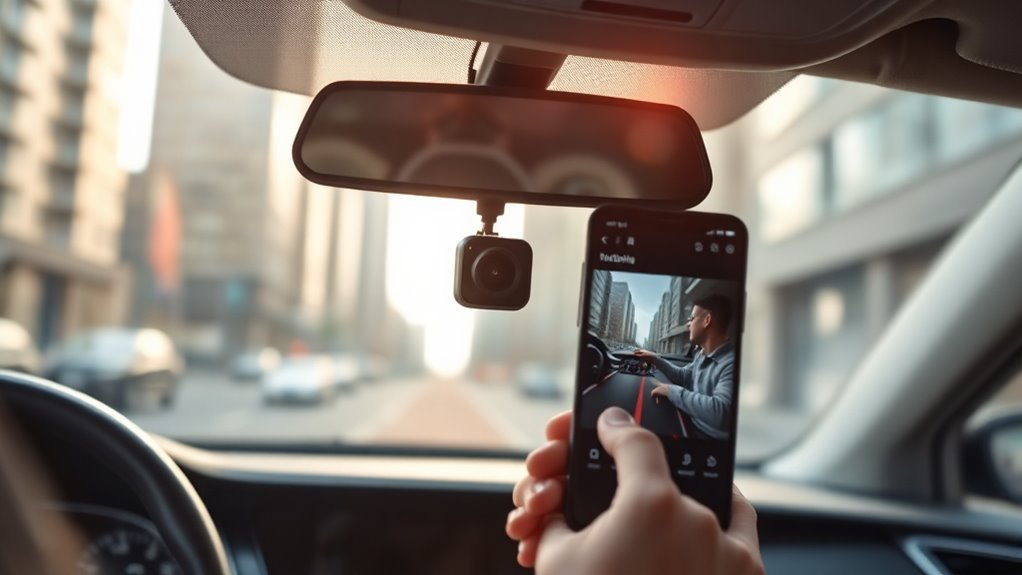
Yes, you can access dash cam footage remotely using your smartphone or computer to view live streams and recorded clips anytime. Having remote access to your dash cam footage means you can check on your vehicle’s surroundings without being physically present.
Your dash cam needs built-in Wi-Fi or cellular connectivity and a compatible app to enable real-time monitoring or clip downloads without removing the memory card. This setup offers convenience and peace of mind, especially after incidents or while on the go.
Want to know how this technology works and what you’ll need? Keep exploring the details to get a better understanding of remote dash cam access.
Key Takeaways
- Yes, dash cams with Wi-Fi or cellular enable remote viewing of live or recorded footage via smartphone or computer.
- Dedicated mobile apps allow instant downloading, sharing, and live streaming of dash cam videos without removing memory cards.
- Cloud storage options automatically upload footage for secure remote access anytime through manufacturer apps or web portals.
- Remote access requires stable internet, compatible dash cam, installed app, and enabled settings for live streaming or cloud sync.
- Security measures like strong passwords, firmware updates, and encrypted connections protect remote access from unauthorized use.
What Is Remote Access for Dash Cams?

Remote access for dash cams lets you check your camera’s footage from anywhere using your smartphone or computer. This feature gives you the freedom to view live video or recorded clips without physically retrieving the memory card.
Whether you’re at home, work, or on the go, you can quickly verify what your dash cam captured. Remote access also allows you to monitor your vehicle’s surroundings in real time, which really boosts security and peace of mind.
You don’t need to be near your car to access vital footage after an incident or simply review your trips. This convenience comes from the dash cam’s ability to connect to the internet, letting it communicate seamlessly with your devices.
How Do Dash Cams Enable Remote Viewing?
You can access your dash cam footage remotely thanks to wireless connectivity options like Wi-Fi or cellular data. Mobile app integration lets you view live or recorded videos straight from your phone.
Plus, cloud storage guarantees your recordings are safely saved and easy to reach anytime. It’s pretty convenient when you want to check on things without being in your car.
Wireless Connectivity Options
Through wireless connectivity options like Wi-Fi, Bluetooth, and cellular networks, dash cams let you access footage from anywhere. Wi-Fi allows your dash cam to connect directly to your smartphone or home network, so you can quickly download or view videos when nearby.
Bluetooth offers a low-energy connection for short-range data transfer and device pairing, making it easy to initiate transfers without cables. Cellular networks provide the most flexibility by enabling your dash cam to stay connected even when you’re on the go, offering real-time access wherever there’s coverage.
Each option balances convenience, range, and power usage differently, so choosing a dash cam with the right wireless capabilities guarantees you can review your footage exactly when and where you need it. It’s all about finding what fits your lifestyle best.
Mobile App Integration
When dash cams sync with dedicated mobile apps, they transform how you access and manage footage. You can view live streams directly on your smartphone, giving you real-time awareness of what’s happening around your vehicle.
These apps often allow you to download, save, or share videos instantly, eliminating the need to remove memory cards. You’ll also get notifications for events like collisions or motion detection, so you’re always informed.
Most apps offer easy navigation through recorded clips, letting you quickly find specific moments. Plus, you can adjust settings remotely, such as resolution or recording modes, without physically handling the device.
Mobile app integration makes remote viewing straightforward and convenient, putting your dash cam’s full control right in your pocket. It really makes managing your footage a breeze!
Cloud Storage Access
Although dash cams store footage locally, many now offer cloud storage options that let you access videos remotely without handling physical memory cards. These dash cams automatically upload recorded clips to secure cloud servers via Wi-Fi or cellular connections.
You can then log into the manufacturer’s app or web portal from anywhere to view, download, or share footage. Cloud storage also protects your videos from being lost or damaged if the dash cam or memory card is compromised.
Plus, some services provide real-time alerts and live streaming, so you can monitor your vehicle on the go. By using cloud storage, you gain convenient, anytime access to your dash cam recordings without the hassle of physical retrieval or manual transfers.
Key Features Supporting Dash Cam Remote Access
You’ll find that several key features make remote access to dash cam footage both convenient and reliable. Wi-Fi and cellular connectivity allow your dash cam to send video directly to your phone or cloud storage, so you don’t have to be near the car to view footage.
Real-time alerts notify you instantly of incidents like collisions or motion detection, keeping you updated no matter where you are. GPS integration tags videos with location data, helping you understand exactly where events occurred.
Additionally, user-friendly interfaces and apps let you easily search, download, and share clips remotely. These features combine to give you seamless control over your dash cam footage, ensuring you can access important videos whenever you need them.
Equipment and Apps for Dash Cam Remote Access
To access your dash cam footage remotely, you’ll need the right equipment and apps designed for seamless connectivity. First, choose a dash cam with built-in Wi-Fi or cellular capabilities to enable real-time data transfer.
Access your dash cam footage remotely with Wi-Fi or cellular-enabled devices for instant, seamless connectivity.
Next, install the manufacturer’s dedicated app on your smartphone or tablet—this app acts as your portal to view, download, and manage footage from anywhere. Finally, make sure you have a stable internet connection, either through your mobile data plan or a reliable Wi-Fi network, to maintain smooth access.
Here’s what you need:
- Wi-Fi or cellular-enabled dash cam – for wireless communication.
- Official mobile app – to connect and control your dash cam remotely.
- Reliable internet connection – to stream or download footage on demand.
With these, you’re set to monitor your vehicle effortlessly. Easy, right?
Setting Up Dash Cam Remote Access
Once you have the right dash cam and app in place, setting up remote access becomes straightforward. First, connect your dash cam to your vehicle’s Wi-Fi or a mobile hotspot.
Then, download and install the manufacturer’s app on your smartphone or tablet. Open the app and create an account if required.
Next, pair your dash cam with the app by following the on-screen prompts. This usually involves scanning a QR code or entering a unique device ID.
Make sure your dash cam’s firmware is up to date to guarantee compatibility. Finally, enable remote access features within the app settings, such as live streaming or cloud upload.
Once set up, you can easily view footage anytime from anywhere, as long as your dash cam stays connected to the internet. It’s pretty convenient once you get everything going!
Limitations and Security Concerns of Remote Access
Although accessing your dash cam footage remotely offers great convenience, it comes with several limitations and security risks you should be aware of. First, remote access depends heavily on a stable internet connection; without it, you might experience delays or lose access entirely.
Second, many dash cams have limited storage and may overwrite footage before you can review it remotely, so timely checks are essential.
Third, security is a major concern—if your dash cam’s connection isn’t properly secured, hackers could gain access to your footage or personal data.
To protect yourself, use strong passwords, update firmware regularly, and make sure your dash cam supports encrypted connections. Being mindful of these issues helps you enjoy remote access safely and effectively.
Frequently Asked Questions
Can Remote Dash Cam Footage Be Used as Legal Evidence?
Yes, remote dash cam footage can be used as legal evidence if it’s clear, unaltered, and time-stamped.
You’ll need to make certain it meets your jurisdiction’s requirements and maintain a secure chain of custody for it to hold up in court.
How Much Does a Dash Cam With Remote Access Typically Cost?
Imagine spotting a dash cam online for around $100 to $250—that’s typically what you’ll pay for remote access models.
You’ll find prices vary based on features, brand, and video quality, so choose what fits your needs best.
It’s all about finding the right balance between cost and what you actually want the camera to do.
Are There Monthly Fees for Remote Dash Cam Access Services?
Yes, many remote dash cam services charge monthly fees for cloud storage and live streaming. However, some offer limited free access.
You’ll want to compare plans to find one that fits your budget and needs. It’s all about what works best for you.
Can Multiple Users View Dash Cam Footage Remotely at the Same Time?
Over 60% of dash cam users want multi-user access, and yes, you can let multiple users view footage remotely at the same time.
Just make sure your dash cam’s app or platform supports simultaneous streaming for smooth sharing. It’s pretty handy when family or colleagues need to check the footage without any hassle.
What Is the Average Storage Duration for Remotely Accessed Dash Cam Videos?
You can typically access dash cam videos stored for 7 to 30 days remotely, depending on your device’s storage capacity and cloud plan.
Some models let you extend this with higher-tier subscriptions or external storage options.
Conclusion
Accessing dash cam footage remotely is like having a guardian angel watching over your car, no matter where you are. By setting up the right equipment and apps, you hold the power to view real-time moments and protect your vehicle from afar.
Just remember, with great access comes great responsibility—stay aware of security risks and set up safeguards. That way, your dash cam becomes a trusted shield, always ready to keep an eye on your journey.
Remote access to dash cam footage offers peace of mind, allowing you to monitor your vehicle anytime, anywhere. Whether you want to check on your car in a parking lot or review an incident after it happens, having this capability can be a game changer. Just make sure to prioritize security by using strong passwords and secure connections, so your footage stays private and protected. Ultimately, remote dash cam access is a smart tool that enhances vehicle safety and gives you control over your car’s security in real time.