How Are Dash Cams Powered?
Dash cams are usually powered by your car’s 12V cigarette lighter or USB port, which gives you the easiest plug-and-play setup. This method is super convenient because you just plug it in and you’re good to go.
No complicated wiring needed, which makes it perfect for most drivers.
You can also hardwire one to the fuse box for a cleaner install. This option provides constant power and enables features like parking mode, so your dash cam keeps an eye on things even when the car is off.
It’s a bit more work to set up but worth it if you want a seamless look and extra functionality.
Some models use a built-in battery or capacitor for backup recording when power cuts off. This means if there’s an accident or power loss, your dash cam can still save crucial footage.
Choosing the best setup really depends on how you drive, where you park, and how you want to install it. There’s definitely more to consider than just plugging it in!
Key Takeaways
- Dash cams are usually powered by the vehicle’s 12V cigarette lighter or USB accessory port for easy setup. This makes them super simple to install and use right away.
- Hardwiring to the fuse box provides continuous power and supports parking mode. That way, your dash cam can keep an eye on things even when your car is off.
- Some dash cams use built-in batteries or capacitors for brief backup power and safer shutdowns. These help protect your footage if the power suddenly cuts out.
- External battery packs can extend recording time away from the vehicle. Perfect if you want to keep recording without relying on your car’s power.
- The best power method depends on whether you want simple driving-only use or постоянное monitoring. So, think about how you plan to use your dash cam before deciding.
Dash Cam Power Options

When you’re choosing how to power a dash cam, you’ve got a few solid options: plug it into your car’s 12V outlet, hardwire it to the fuse box, or use an external battery pack. Each setup affects how neatly you install the camera, whether it records while parked, and how much effort you’ll need upfront.
If you want the simplest path, you’ll usually prefer a removable power source. If you want a cleaner, more permanent setup, hardwiring can help.
An external battery pack can keep your dash cam running longer without draining your vehicle’s main battery. You should match the power method to how you drive, where you park, and how much convenience you want.
Cigarette Lighter and USB Power
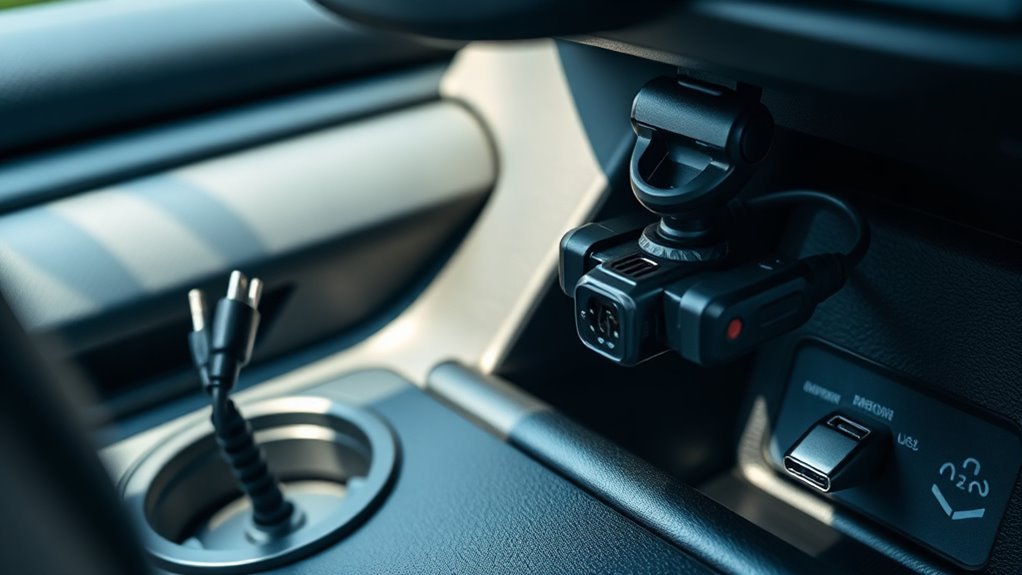
The easiest way to get a dash cam up and running is to plug it into your car’s cigarette lighter or a USB port. You’ll usually use the included power adapter or cable, which converts your vehicle’s 12V output into the voltage the camera needs.
This setup keeps installation simple, so you can mount the camera, route the wire, and start recording in minutes. If your car has a USB port that provides enough power, you may not need the lighter socket at all.
This option works well for short commutes, rental cars, or drivers who want a removable setup. Just make sure the cable reaches comfortably, and keep it clear of pedals, shifters, and airbags for safe, clean placement.
How to Hardwire a Dash Cam

When you hardwire a dash cam, you’ll first choose the right fuse tap to match your vehicle’s fuse box and power needs. Then you’ll route the power cable neatly along the headliner, pillars, and trim so it stays hidden and secure.
This setup gives your dash cam a cleaner look and a more reliable power source. It’s a small step that makes a big difference in how your dash cam performs every day.
Choosing a Fuse Tap
A fuse tap is the small adapter that lets you power your dash cam from your vehicle’s fuse box without cutting factory wiring. You’ll want one that matches your fuse type, such as mini, micro2, or low-profile mini, so it seats firmly and makes a reliable connection.
Choose a tap with a built-in blade holder that keeps the dash cam on a separate circuit, and make sure its amperage rating fits the add-a-circuit design. It’s important to check whether your hardwire kit needs a constant-power fuse, an accessory-power fuse, or both for parking mode.
Before you buy, compare the tap’s size to the fuse slots in your car’s panel and confirm it won’t interfere with nearby components. Getting the right fit helps you avoid loose contacts, blown fuses, and unnecessary electrical trouble.
Routing the Power Cable
Once you’ve picked the right fuse tap, the next step is to run the power cable from the fuse box to your dash cam. You’ll want to tuck the wire under trim panels, along the headliner, and down the A-pillar so it stays hidden and secure.
Use a trim tool and keep the cable away from airbags, pedals, and sharp edges. Test the route before you reconnect everything.
| Step | What to do | Why it matters |
|---|---|---|
| 1 | Plan the path | Prevents visible slack |
| 2 | Hide the wire | Keeps the cabin neat |
| 3 | Secure and test | Avoids interference |
Leave a little slack near the camera, then plug it in and confirm it powers on properly. Easy, right? Just take it slow and double-check your work along the way.
Battery vs Capacitor Backup
If your dash cam needs backup power after the engine shuts off, the choice usually comes down to a built-in battery or a capacitor. A battery stores more energy, so it can keep the camera running longer after you turn off the car. That helps if you need a few extra minutes to save footage or finish a recording.
But batteries don’t like heat, and repeated charging can wear them out faster. On the other hand, a capacitor holds less power, yet it handles high temperatures better and often lasts longer. You won’t get much runtime from it, but it can still protect your last file cleanly.
If you drive in hot climates, a capacitor usually makes more sense. But if you want brief standalone recording, a battery may suit you better. It really depends on what you need.
How Parking Mode Uses Constant Power
When you use parking mode, your dash cam draws a small, constant amount of power from your car’s battery to keep monitoring while the engine’s off. A hardwire kit supplies that power and can include voltage cutoff protection so the camera stops before the battery drains too far.
That setup lets you record overnight without risking a dead battery. It’s pretty handy because you don’t have to worry about your car not starting the next day.
Constant Battery Draw
Because parking mode keeps the dash cam alert even after you turn off the car, it draws a small but constant amount of power from your vehicle’s battery. You’ll notice this drain most when the camera monitors for motion, shock, or impact while your engine sits off.
Even though the draw is low, it continues for as long as parking mode stays active, so your battery slowly supplies power in the background. If you leave the car unused for long periods, that ongoing demand adds up.
You can reduce extra strain by limiting parking mode to shorter intervals or using an external power source designed for dash cams. That way, you keep surveillance running without relying entirely on your vehicle’s battery every time you park.
Voltage Cutoff Protection
Since parking mode keeps drawing power, voltage cutoff protection acts like a safety net for your battery. It monitors your car’s battery voltage and shuts the dash cam off before the battery drops too low to start the engine.
You can usually set the cutoff level, so you decide how much reserve power you want to keep. If you drive daily, you may choose a lower threshold; if your car sits longer, you’ll want a higher one.
This feature helps you enjoy constant monitoring without risking a dead battery. It’s especially useful in cold weather, when batteries lose strength faster.
With cutoff protection enabled, you get peace of mind, steady parking surveillance, and a better chance that your car starts when you need it most.
Hardwire Kit Supply
A hardwire kit is what lets your dash cam stay awake in parking mode by drawing constant power from your vehicle’s fuse box. You connect it to an always-on circuit, then route power through a voltage regulator and cutoff module so the camera can monitor your car without draining the battery too far.
While you’re driving, the kit supplies steady power; when you park, it keeps the dash cam ready to record motion or impact events. You don’t need to rely on the cigarette lighter socket, which usually turns off with the ignition.
Instead, the hardwire kit gives you a cleaner, more permanent setup and better parking surveillance. If you install it correctly, you’ll get dependable coverage, fewer interruptions, and smarter protection when your vehicle sits unattended.
How to Choose the Right Setup
Choosing the right dash cam power setup starts with how you park, drive, and use the camera.
If you only need clips while driving, the lighter cigarette lighter adapter works well.
If you want parking mode, choose a hardwire kit or battery pack so the camera can keep watch after you lock up.
If you switch cars often, a plug-in setup gives you flexibility.
Check your fuse box access, car battery health, and how much wiring you’re willing to hide.
| Need | Best Choice | Why |
|---|---|---|
| Driving only | 12V adapter | Simple and quick |
| Parking surveillance | Hardwire kit | Enables continuous power |
| Flexible installs | Battery pack | Easy to move |
Match the setup to your routine, and you’ll get reliable recording without unnecessary hassle.
Frequently Asked Questions
Do Dash Cams Drain a Car Battery Overnight?
Yes, they can if you leave yours hardwired or plugged in with parking mode on. Most won’t, but older batteries or long periods can drain overnight.
You should use a voltage cutoff or battery pack to be safe. It helps prevent your car battery from dying while your dash cam is running.
Can a Dash Cam Work Without the Ignition On?
Yes, you can run a dash cam with the ignition off if you use a hardwire kit, battery pack, or parking mode power source.
Otherwise, many cameras shut down when you turn the car off.
So, if you want your dash cam to keep recording or stay on while the car is parked, you’ll need one of those power options.
Without them, the camera usually stops working as soon as the ignition is turned off.
Are Wireless Dash Cams Actually Battery Powered?
Yes, many wireless dash cams are battery powered, but you’ll often need to recharge them. Some use built-in batteries, while others rely on capacitors or external power.
How Long Do Dash Cam Batteries Last?
You might think they last all day, but most dash cam batteries only run 15 to 30 minutes.
You’ll usually rely on your car’s power or a hardwire kit for longer recording. That way, you won’t miss a thing while you’re driving.
Do Dash Cams Require Professional Installation?
No, you usually don’t need professional installation. You can mount a dash cam yourself, plug it into your car’s power outlet, and start recording.
Hardwiring can take more skill, so some people hire a pro. But if you’re comfortable with basic car electronics, you might give it a shot yourself.
Conclusion
In the end, you power your dash cam in the way that fits your drive best. You can plug it into a cigarette lighter or USB port for easy setup. Hardwiring it works great if you want a cleaner look and parking mode.
Or, you might choose a battery or capacitor model for backup protection. Think of it as giving your car a steady little guardian. It’s ready to blink awake and record every mile, even when you’re not behind the wheel.
Dash cams get their power from different sources depending on your needs. Whether it’s a simple plug-in, hardwired connection, or built-in battery, the right power option keeps your dash cam reliable. This way, your dash cam stays on guard, capturing every important moment on the road.