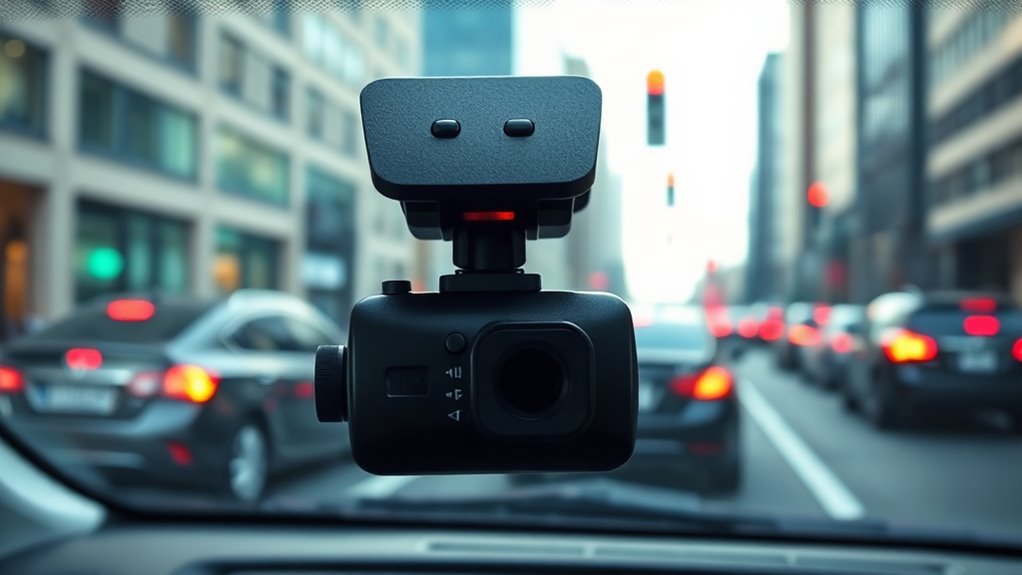
Why Does My Dash Cam Keep Beeping?
Your dash cam keeps beeping to alert you about important issues like low battery, memory card errors, or recording status changes. These beeps are your dash cam’s way of saying, “Hey, something needs your attention!” It might beep to warn you about a full or corrupted memory card, power problems, or even lost GPS signals.
Sometimes, software glitches cause persistent beeping, which updates or restarts can fix. Paying attention to these alerts helps guarantee reliable performance and secure footage.
So, don’t ignore those beeps—they’re there to keep your dash cam working smoothly. Keep exploring to uncover practical fixes and prevent those annoying beep interruptions from ruining your drive.
Key Takeaways
- Beeping often signals low battery, memory card errors, or recording status changes on the dash cam.
- Memory card issues like full, corrupted, or improper insertion cause repeated beeping alerts.
- Firmware glitches or outdated software can trigger persistent or random beeping notifications.
- Power problems from damaged cables, loose connections, or low external battery cause continuous beeps.
- Regular updates, device restarts, and factory resets help fix beeping caused by software or hardware glitches.
What Your Dash Cam Beeps Mean

Although the specific beep patterns vary by model, your dash cam uses these sounds to alert you about important issues like low battery, memory card errors, or recording status.
When you hear a beep, it’s trying to communicate something that needs your attention. For example, a single beep might mean the device has started recording, while a series of beeps could indicate a problem with the memory card, such as it being full, corrupted, or not inserted properly.
Some dash cams beep when you power them on or off, confirming their operational status. Understanding these beep codes helps you quickly identify and resolve issues, ensuring your dash cam functions correctly and continues to capture vital footage without interruption.
Always check your user manual for model-specific beep meanings. It’s the best way to know exactly what each sound means for your device.
Fix Low Battery and Power Warning Beeps

Hearing persistent beeps from your dash cam often signals a low battery or power issue that needs immediate attention. First, check your power source—make sure your car’s cigarette lighter or USB port is delivering consistent power.
Persistent dash cam beeps usually indicate a power issue—check your car’s cigarette lighter or USB port first.
If you use an external battery pack, make sure it’s fully charged. Also, inspect the power cable for damage or loose connections; a faulty cable can cause intermittent power loss, triggering those annoying beeps.
Consider replacing cheap or worn cables with high-quality ones designed specifically for dash cams. It’s a small upgrade that can make a big difference.
Don’t forget to check your dash cam’s battery status in its settings menu. If the internal battery is old or degraded, it might be time for a replacement.
Finally, try restarting the device after you’ve addressed these points. Fixing power problems promptly helps prevent interruptions and keeps your dash cam running smoothly.
Solve Memory Card Errors on Your Dash Cam

Power issues aren’t the only reason your dash cam might beep—memory card errors are another common cause. When your device struggles to read or write data, it alerts you with beeps.
To fix this, start by checking the memory card’s compatibility with your dash cam. Next, format the card using the dash cam’s settings to clear potential file system errors.
If beeping continues, try replacing the card with a high-quality, recommended brand to avoid faults. Also, make sure the card is properly inserted to maintain a solid connection.
Here’s how to solve memory card errors:
- Verify card compatibility with your dash cam
- Format the card through the dash cam menu
- Use a reliable, recommended memory card brand
- Confirm the card is fully and correctly inserted
Decode Recording Beeps and Notifications
When your dash cam starts beeping during recording, it’s trying to communicate important information. These beeps often indicate status updates like when recording begins or ends.
Dash cam beeps signal key status updates, such as when recording starts or stops, ensuring you stay informed.
For example, a single beep usually means recording has started, while a double beep signals it has stopped. You might also hear periodic beeps that confirm the device is actively recording.
Some dash cams beep to warn about low battery, GPS signal loss, or when the memory card is full or corrupted. Paying attention to these notifications helps you make certain your dash cam functions properly and captures vital footage.
Understanding what each beep means allows you to respond quickly, keeping your dash cam reliable and avoiding missed recordings during key moments.
Stop Unwanted Dash Cam Beeping Without Hurting Performance
You can stop unwanted dash cam beeping by adjusting the alert volume and customizing notification settings to fit your preferences.
Make sure to update your firmware regularly to keep the system running smoothly without extra alerts.
These steps help you reduce beeps without compromising your dash cam’s performance.
Adjust Alert Volume
Often, adjusting the alert volume on your dash cam can stop those annoying beeps without compromising its functionality.
You don’t have to turn off alerts entirely; just lowering the volume makes them less intrusive while keeping you informed.
To adjust the alert volume:
- Access your dash cam’s settings menu
- Find the sound or alert volume option
- Use the slider or buttons to reduce the volume
- Save your changes before exiting
Customize Notification Settings
Take control of your dash cam’s notifications to stop unwanted beeping without sacrificing its performance. You can customize notification settings directly through the dash cam’s menu or companion app.
Focus on disabling non-essential alerts, like parking mode warnings or GPS signal loss notifications. These often cause frequent beeping.
Keep critical alerts, such as collision warnings, enabled for safety. Many dash cams let you choose notification types, sounds, and frequency, so tailor these options to suit your preferences.
Doing this prevents unnecessary interruptions while ensuring you still get important information. Remember, customizing notifications doesn’t mean turning off all alerts—it means balancing convenience and safety by fine-tuning what your dash cam tells you and when.
This way, you enjoy peace of mind without constant beeping.
Update Firmware Regularly
Fine-tuning your dash cam’s notification settings can reduce unnecessary beeping, but keeping the device’s software up to date plays an equally important role. Firmware updates often fix bugs that cause random alerts and improve overall stability.
When you update regularly, your dash cam runs smoother and beeps less without sacrificing performance. To keep your firmware current, make sure you:
- Check the manufacturer’s website or app for update notifications
- Download updates using a stable Wi-Fi connection
- Follow the update instructions carefully to avoid interruptions
- Restart your device after updating to apply changes
Troubleshoot Firmware and Software Beep Issues
If your dash cam keeps beeping unexpectedly, it might be time to check for a firmware update. Outdated firmware can cause glitches that trigger constant alerts.
You can often fix software issues by updating or resetting your device. It’s a pretty simple step that can save you a lot of hassle. Give it a try before you dive into more complicated troubleshooting.
Firmware Update Importance
Because dash cams rely heavily on their firmware to function correctly, keeping it updated is essential to guarantee persistent beeping issues are prevented.
Firmware updates fix bugs, improve stability, and enhance device performance, which can stop unexpected alerts. If your dash cam keeps beeping, check for the latest firmware version on the manufacturer’s website or app.
Here’s why updating firmware matters:
- Resolves known bugs causing false beep alerts
- Enhances compatibility with memory cards and sensors
- Improves battery and power management to reduce warnings
- Adds important security patches to protect your data
Regular updates guarantee your dash cam runs smoothly and reduces annoying beep sounds linked to outdated software. So, make updating a routine to keep your device reliable.
Software Glitch Solutions
Start by identifying common software glitches that cause your dash cam to beep unexpectedly. These often include freezing, random restarts, or error messages.
To fix this, first try rebooting your device; a simple restart can clear temporary bugs. If beeping persists, check for and install the latest firmware updates. Developers regularly patch software issues, so staying updated really helps.
Next, perform a factory reset to restore default settings, but make sure to back up your footage beforehand. If your dash cam has a dedicated app, double-check that it’s updated and properly synced.
Finally, if glitches continue, reach out to customer support or visit the manufacturer’s website. They usually offer troubleshooting tools or software patches. Addressing software problems promptly stops those annoying beeps and keeps your dash cam reliable.
Frequently Asked Questions
Can Dash Cams Record Audio Along With Video?
Yes, your dash cam can record audio along with video if it has a built-in microphone. Just make sure to enable audio recording in the settings.
Also, be aware of local laws regarding audio privacy. It’s always good to check what’s allowed where you live before you start recording sound.
How Do I Choose the Best Dash Cam for My Car?
You want a dash cam that’s your car’s trusty guardian—look for sharp video, easy installation, night vision, and reliable storage.
Don’t forget features like GPS and motion detection to catch every twist in your journey.
These extras can really make a difference when you need them most. So, pick one that fits your needs and gives you peace of mind on the road.
Are Dash Cams Legal to Use in All States?
Dash cams are legal in most states, but some have restrictions on where you can mount them or record audio.
You should check your state’s specific laws to avoid fines or legal issues while using your dash cam.
It’s always better to be safe than sorry, right? A quick look at the rules can save you from trouble later on.
Can I Use a Dash Cam While Parked Overnight?
Using a dash cam while parked overnight is like having a silent watchdog by your side. You can do it, but make sure your camera’s parking mode is activated to capture any unusual activity.
This way, it won’t drain your car’s battery while keeping an eye on things. It’s a smart move for extra peace of mind.
How Do I Transfer Dash Cam Footage to My Phone?
You can transfer dash cam footage to your phone by connecting the dash cam via Wi-Fi or using a companion app. This makes it pretty straightforward to access your videos right away.
Alternatively, you can remove the SD card from the dash cam, pop it into a card reader, and then access the files on your phone. It’s a handy option if Wi-Fi isn’t available or you prefer a direct transfer.
Conclusion
Your dash cam’s beeping is like a lighthouse, signaling when something needs your attention—whether it’s power, memory, or software. Ignoring these sounds is like sailing blind; addressing them keeps your journey smooth and safe.
By understanding and fixing these alerts, you make certain your dash cam stays a trusted guardian on the road. It quietly watches over you without unnecessary noise.
Listen closely and act swiftly. Keeping your dash cam’s alerts in check ensures your drive stays worry-free and secure, giving you peace of mind every time you hit the road.