What Does WiFi Dash Cam Mean?
A WiFi dash cam means you get instant wireless access to your car’s footage by connecting your phone directly to the camera’s local WiFi hotspot—no internet needed. This makes it super easy to stream, download, and manage videos right from your device without having to remove the memory card.
Plus, it lets you update firmware and control settings remotely through an app. So, you can keep your dash cam up to date and customize it without any hassle.
If you’re curious about how this boosts security and what makes it different from traditional dash cams, keep reading. There’s a lot to learn about the convenience and peace of mind a WiFi dash cam can offer!
Key Takeaways
- A WiFi dash cam connects wirelessly to your mobile devices through its own local WiFi hotspot. The best part? It doesn’t need internet access to work.
- You can instantly view, download, and manage recorded videos right on your smartphone or tablet using a dedicated app. It’s super convenient and quick!
- These dash cams also support easy, app-based firmware updates. That means no more manual updates or needing to connect to a computer.
- Plus, you can stream live video, adjust settings remotely, and share footage instantly without having to remove the memory card. How cool is that?
- Overall, WiFi dash cams make life easier by letting you monitor your car remotely, get real-time alerts, and share important evidence with ease.
How WiFi Dash Cams Work?
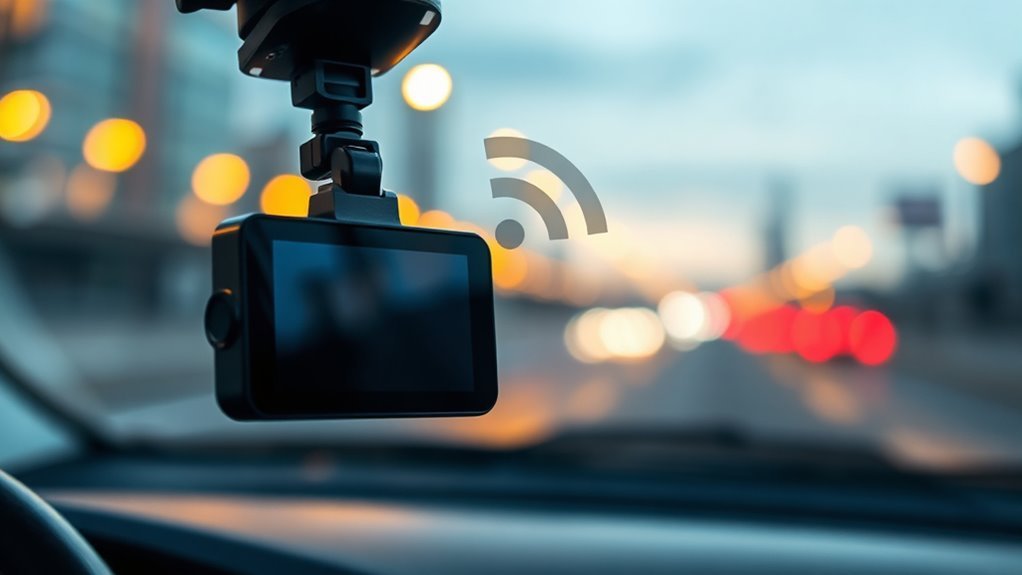
Connecting your WiFi dash cam to your smartphone or tablet lets you view and manage footage instantly without removing the memory card. You’ll start by connecting your device to the dash cam’s WiFi network, usually via the camera’s dedicated app.
Once connected, you can stream live video, review recordings, and download clips directly to your phone. The dash cam creates a local WiFi hotspot, so internet access isn’t required for this connection.
You can adjust settings like recording quality and motion detection through the app, making it easier to customize your experience. This setup simplifies managing your recordings on the go and guarantees you can quickly share important footage when needed, all without fussing with cables or hardware.
What Makes WiFi Dash Cams Different

You’ll notice WiFi dash cams stand out because they connect wirelessly, letting you access footage without removing the memory card.
You can share real-time video instantly, which is great for emergencies or quick updates. Plus, managing your files becomes a breeze with easy transfers straight to your phone or cloud.
Wireless Connectivity Benefits
WiFi dash cams often stand out because they let you access footage instantly without fiddling with memory cards or cables. You can connect your dash cam directly to your smartphone or tablet, making it easy to review, download, or share videos on the spot.
This wireless connectivity also streamlines setup and firmware updates. With WiFi, you avoid interruptions caused by removing and inserting SD cards, saving time and reducing hassle.
Here are some benefits you get with wireless connectivity:
- Quick access to recorded videos via app
- Easy sharing of footage with insurance or friends
- Real-time control over camera settings remotely
- Seamless firmware updates without a computer
- No need to physically remove the memory card
WiFi dash cams make managing your footage simple and efficient. It’s just a smoother way to keep an eye on things.
Real-Time Video Sharing
When it comes to sharing video footage as events unfold, dash cams with wireless capabilities let you stream or send real-time clips directly from your car. This means if you witness an accident or suspicious activity, you can instantly share the footage with emergency services, insurance companies, or family members without waiting to retrieve the files later.
You don’t have to stop or remove the memory card to transfer videos—they’re sent over WiFi right away. This real-time sharing enhances your safety and speeds up responses during critical moments.
Plus, you can monitor your vehicle remotely via an app, keeping an eye on things even when you’re not nearby. WiFi dash cams truly bring convenience and peace of mind through instant video access.
Easy File Management
Managing your dash cam files becomes a breeze with wireless connectivity. You don’t have to remove the memory card or connect cables to access your videos.
Instead, you can quickly transfer, view, and organize footage directly from your smartphone or tablet. This convenience saves time and effort, especially when you need to find specific clips after an incident.
WiFi dash cams let you:
- Instantly download videos without plugging in
- Sort and delete files on the go
- Share clips via email or social media
- Backup important footage to cloud storage
- Manage storage space to avoid recording interruptions
With easy file management, you stay in control of your recordings. It makes your driving experience safer and more efficient.
How WiFi Connectivity Makes Accessing Footage Easier

With WiFi connectivity, you can transfer footage instantly without removing the memory card. You’ll also enjoy the convenience of viewing videos remotely from your phone or tablet.
Plus, managing your files becomes much simpler with easy access and organization right at your fingertips. It’s all about making your life easier, right?
Instant Footage Transfer
WiFi connectivity lets you quickly pull up your dash cam footage without digging through memory cards or cables. With instant footage transfer, you can save time and hassle by accessing videos directly on your smartphone or tablet.
Here’s what makes it so convenient:
- Connect your dash cam to your device instantly via WiFi.
- Transfer videos in minutes, even large files.
- Review footage on the spot to check incidents immediately.
- Share clips with insurance or law enforcement right away.
- Free up your dash cam’s storage by moving files to your phone.
This seamless process means you’re always ready to handle any situation without delay. Instant footage transfer turns a cumbersome task into a simple, efficient experience.
Remote Viewing Convenience
You can easily tap into your dash cam’s footage from anywhere, thanks to remote viewing convenience. With WiFi connectivity, you don’t need to wait until you’re near your car to check important recordings.
Whether you’re at home, work, or on the go, you can access real-time video and stored clips directly through a smartphone app or web portal. This means you can quickly review incidents, share footage with authorities, or monitor your vehicle remotely without hassle.
WiFi-enabled dash cams provide seamless access, saving you time and effort. So, if something happens while you’re away, you won’t miss a thing—you’ll have instant, secure access to your dash cam’s view right at your fingertips.
Simplified File Management
Accessing your dash cam footage remotely is just one part of the convenience WiFi brings. With WiFi connectivity, managing your files becomes straightforward, saving you time and hassle.
You don’t need to remove the memory card or connect cables to your computer. Instead, you can quickly organize, review, and share clips directly from your smartphone or tablet.
Here’s how WiFi simplifies file management:
- Instantly download videos without physical connections
- Delete unnecessary footage to free up space
- Categorize important clips for easy retrieval
- Share files instantly with insurance or law enforcement
- Automatically back up recordings to cloud storage
This seamless process guarantees you stay organized and ready to access critical footage anytime, anywhere. It really makes life a lot easier!
Why WiFi Dash Cams Boost Your Vehicle’s Security
Enhancing your vehicle’s security becomes much easier with a dash cam that connects to WiFi. You can instantly access footage, making sure you get quick evidence right after an incident.
These dash cams also offer real-time alerts, so you’re immediately notified if something unusual is happening. Plus, automatic cloud backups keep your recordings safe from theft or damage.
| Feature | Benefit | Impact on Security |
|---|---|---|
| Instant Access | View footage on your phone | Faster response time |
| Real-Time Alerts | Receive notifications | Immediate threat awareness |
| Cloud Backup | Store videos securely | Prevents data loss |
| Remote Monitoring | Check vehicle anytime | Continuous protection |
| Easy Sharing | Send clips to authorities | Simplifies evidence sharing |
With WiFi dash cams, you stay connected and proactive about your vehicle’s safety. It’s all about making security easier and smarter.
WiFi vs Traditional Dash Cams: Key Differences
When comparing WiFi dash cams to traditional models, the differences quickly stand out in convenience and connectivity. You’ll find WiFi dash cams let you access footage instantly on your phone without removing the card, while traditional ones usually require manual retrieval.
Here’s what sets them apart:
- Connectivity: WiFi dash cams connect wirelessly; traditional ones don’t.
- Ease of Access: View and download videos on your device anytime with WiFi.
- Firmware Updates: WiFi models update automatically or via app.
- Storage Management: WiFi cams let you manage files remotely.
- Setup and Use: Traditional cams often involve more manual steps.
Choosing between them depends on how much you value quick access and smart features versus simplicity. It really comes down to what fits your lifestyle best.
How to Choose the Best WiFi Dash Cam for You
Picking the right WiFi dash cam boils down to knowing what features matter most to you. Consider video quality, ease of use, and connectivity options. Battery life and storage capacity also play key roles.
To simplify your choice, check the table below:
| Feature | Importance | What to Look For |
|---|---|---|
| Video Quality | High | 1080p or 4K resolution |
| Connectivity | Medium to High | Stable WiFi, app integration |
| Storage | Medium | Expandable memory support |
| Battery Life | Medium | Long-lasting or hardwired |
| Ease of Use | High | Intuitive controls, clear app |
Focus on what fits your driving habits. If you want easy access to footage, prioritize WiFi strength and app features.
But if recording clarity is essential, pick higher resolution. This approach helps you find the best WiFi dash cam for your needs.
Frequently Asked Questions
Can Wifi Dash Cams Drain My Car Battery?
Yes, WiFi dash cams can drain your car battery if they stay powered when the engine’s off.
To avoid this, you can use models with low power modes or connect them to a separate power source.
It’s a good idea to check how your dash cam manages power, so you don’t end up with a dead battery unexpectedly.
Are Wifi Dash Cams Compatible With All Smartphone Brands?
Wondering if your phone will work seamlessly with a WiFi dash cam? Most are compatible with popular smartphone brands, but you should check the app’s requirements to make sure it supports your device before buying.
It’s always a good idea to double-check. That way, you won’t run into any surprises after setting it up.
Do Wifi Dash Cams Require a Monthly Data Plan?
No, you don’t need a monthly data plan for WiFi dash cams. They connect directly to your phone via WiFi, so you can view and download footage without using cellular data.
Plus, there are no ongoing subscription fees to worry about. It’s pretty convenient!
How Weather-Resistant Are Wifi Dash Cams?
You’ll find most WiFi dash cams are weather-resistant enough to handle rain, heat, and cold, thanks to durable casings.
However, they’re not fully waterproof, so avoid submerging them or exposing them to extreme conditions for long periods.
It’s best to think of them as tough against everyday weather, but not made for underwater adventures or harsh environments.
Can Wifi Dash Cams Record Audio Inside the Car?
Yes, your WiFi dash cam can record audio inside the car, but not all models do it by default. You’ll want to check settings carefully, as some require you to enable the microphone manually for privacy reasons.
Conclusion
Choosing a WiFi dash cam is like having a trusted co-pilot who’s always watching out for you. With easy access to footage and enhanced security features, it simplifies protecting your vehicle and capturing important moments on the road.
Whether you want convenience or peace of mind, a WiFi dash cam keeps you connected and informed, making your driving experience safer and smarter.
Don’t settle—pick the one that fits your needs perfectly. A WiFi dash cam offers more than just recording; it provides instant access to videos via your smartphone, so you can review, save, or share footage anytime. This seamless connectivity enhances security by ensuring you’re always aware of what’s happening around your car. In today’s fast-paced world, having a reliable WiFi dash cam means better protection, smarter driving decisions, and peace of mind wherever you go.