What Is a G Sensor on a Dash Cam?
A G sensor on your dash cam is a handy feature that detects sudden changes in motion, like hard braking, sharp turns, or a collision. It uses a built-in accelerometer to sense these quick movements and respond accordingly. This means your dash cam is always watching out for those unexpected moments on the road.
When the G sensor detects an impact, it automatically locks the current clip. This prevents loop recording from overwriting important footage. So, you don’t have to worry about losing evidence that could be crucial for insurance claims or disputes.
You can adjust the sensitivity settings to find the right balance between protection and fewer false triggers. Understanding how these settings work can help you get the most out of your dash cam’s G sensor, making your driving experience safer and more secure.
Key Takeaways
- A G sensor is an accelerometer that detects sudden movement, impact, braking, or sharp turns in a dash cam. It automatically starts protecting video when a collision or hard jolt is detected.
- Locked event clips prevent important footage from being overwritten during loop recording. Sensitivity settings control how easily the sensor triggers, from low to high.
- Proper tuning helps reduce false alerts from potholes, hard braking, or shaky mounts. It’s all about finding the right balance so your dash cam only locks what really matters.
What Does a Dash Cam G Sensor Do?

A dash cam G sensor detects sudden changes in movement, like hard braking, sharp turns, or a collision, and uses that data to protect important footage. You rely on it to tell your camera when something unusual happens on the road.
When it senses impact or force, it can lock the current video so the camera won’t overwrite it during normal recording. That helps you keep evidence if you’re hit, cut off, or involved in a crash.
It also reduces the chance of losing important clips during routine loop recording. In short, the G sensor acts like a safeguard for your video files, helping you preserve moments that matter most when you need proof later.
How a Dash Cam G Sensor Detects Movement?
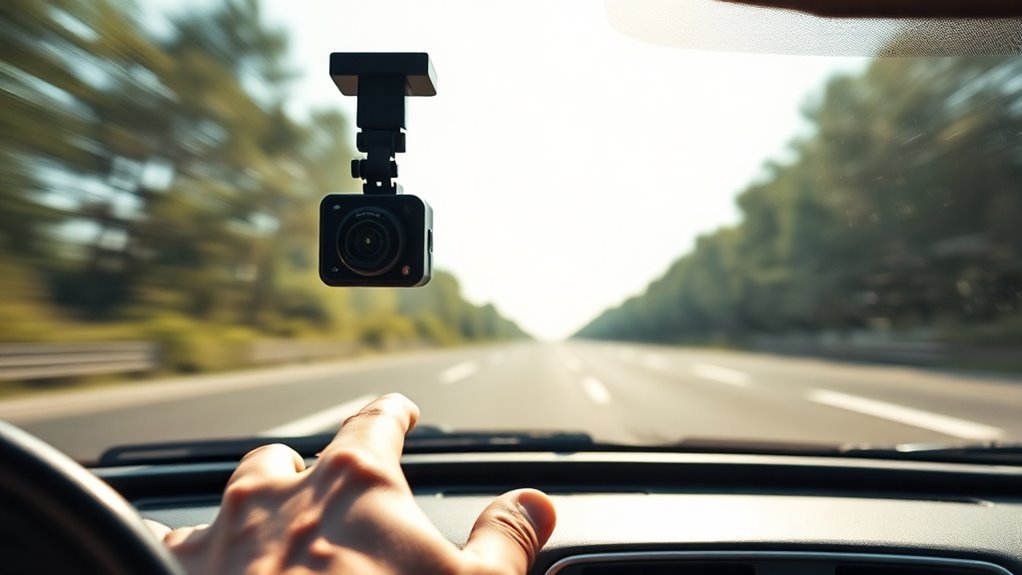
Inside your dash cam, the G sensor uses a tiny motion sensor called an accelerometer to measure sudden changes in speed or direction. When you drive normally, it reads steady movement and stays quiet.
If your car brakes hard, gets hit, or takes a sharp turn, the sensor notices the quick shift in force. It then compares that movement against a preset sensitivity level you’ve chosen.
If the change is strong enough, the dash cam treats it as an event. The camera can react within moments because it constantly samples motion data while recording.
This lets it recognize impacts, jolts, and abrupt maneuvers without your help. You don’t need to press anything; the sensor works automatically in the background, watching for motion that stands out from normal driving patterns.
Why Locking Clips Protects Evidence?

When your dash cam senses a sudden impact, it locks the clip so the footage won’t get overwritten. This protects key evidence by preserving exactly what happened before, during, and after the event.
You can then review a secure recording that may help prove fault or support your claim. It’s a simple way to make sure you have the facts when you need them most.
Evidence Preservation
If you ever need dash cam footage after a crash or traffic dispute, locking the clip keeps it from being overwritten by the camera’s loop recording. That matters because you can’t rely on the memory card to save the right moment automatically.
When you lock a file, you mark it as protected, so the camera skips it during normal deletion cycles. You then keep a stable record of what happened, including road position, signals, speed, and nearby vehicles.
This helps you show insurance adjusters, police, or a court exactly what you saw. It also reduces the risk of losing key details while you continue driving.
In short, preservation turns a brief recording into usable evidence you can trust later.
Impact Triggered Locking
A sudden impact can trigger your dash cam to secure the current clip automatically, which helps protect the exact moments before, during, and after a collision. You don’t have to press anything, so the camera preserves critical footage when you’re stressed or distracted.
This matters because unsecured files can get overwritten during normal recording, but secured clips stay safe for review, claims, or police reports.
- It captures the impact in full context.
- It prevents accidental deletion or overwrite.
- It gives you reliable evidence when disputes arise.
Dash Cam G Sensor Sensitivity Settings Explained
Your dash cam’s G sensor reads sudden changes in motion and decides when to lock a clip. You can adjust the impact detection level so it reacts to bumps, hard braking, or minor road vibrations.
Finding the right setting helps you protect real incidents without filling your memory card with false triggers. It’s all about striking the right balance to keep what matters and skip what doesn’t.
How Sensitivity Works
Dash cam G sensor sensitivity controls how easily the camera reacts to sudden movement, such as hard braking, sharp turns, or a collision. When you set it higher, even a small jolt can trigger an event.
When you lower it, the camera waits for stronger motion before reacting. That balance matters because your driving style and road conditions affect how often it responds.
- High sensitivity catches lighter bumps and quick lane changes.
- Medium sensitivity gives you a practical middle ground for daily driving.
- Low sensitivity helps reduce triggers from rough roads and potholes.
You want settings that match your vehicle, route, and comfort level. Too much sensitivity can create unnecessary alerts, while too little may miss important moments.
Adjusting Impact Detection
When you adjust impact detection, you’re deciding how hard your dash cam must be hit before it saves a clip or locks a file. Most cameras let you choose low, medium, or high sensitivity, and some use a slider.
A lower setting reacts to lighter bumps, sharp braking, or rough roads, so it can preserve more events but may trigger often. A higher setting ignores minor jolts, which helps reduce unnecessary locked files, but it might miss smaller collisions.
You’ll usually change this in the camera menu or companion app. After saving your setting, drive normally and check whether the camera flags routine motion.
If it does, increase the threshold. If it misses clear impacts, lower it. Easy, right? Just tweak it until it feels right for your driving style.
Finding Optimal Settings
Finding the right G sensor setting comes down to balancing protection with everyday driving noise. Start at the middle setting, then watch how your dash cam reacts over a few drives.
If it locks clips during hard braking, potholes, or sharp turns, lower sensitivity a step. If it misses clear impacts, raise it. You want it sensitive enough to save real events, not every bump.
- Test on city streets first.
- Review saved clips after normal driving.
- Adjust one level at a time.
Keep in mind that weather, road quality, and vehicle suspension all affect results. After a week, you’ll usually find a setting that captures collisions without filling your card with false triggers.
When a Dash Cam G Sensor Misfires
If your dash cam’s G sensor misfires, it can trigger unnecessary event locks from potholes, slamming doors, or even hard braking you didn’t intend. When that happens, your memory card can fill with protected clips that don’t show an actual incident.
A misfiring G sensor can lock unnecessary clips, filling your card with protected footage that isn’t a real incident.
You might also miss useful recordings because the camera keeps saving minor bumps instead of real events. Temperature swings, a shaky mount, or an overly sensitive setting often cause the problem.
Check whether the camera sits firmly on the windshield and whether the bracket or adhesive has loosened. If false triggers keep happening, try lowering the sensitivity a bit.
After a drive, review your clips to see what set it off. If the misfires are consistent, it usually means your setup needs adjustment or some maintenance.
How to Use a Dash Cam G Sensor Properly
To use your dash cam’s G sensor properly, start by setting it to a level that protects real incidents without locking every minor bump. Then test it with normal driving so you know how often it triggers.
If your camera allows, adjust sensitivity for city streets, highways, and rough roads. This way, you can fine-tune it to match your driving environment.
- Check event lock settings so important clips save automatically.
- Review recordings often to spot false triggers or missed impacts.
- Mount the camera firmly to reduce vibration from the vehicle itself.
You should also update the firmware when available. Manufacturers often improve detection with updates, so it’s a good idea to keep it current.
If you live where potholes are common, try lowering the sensitivity a bit. But if you drive fast or park on busy streets, keep it higher.
Finding the right balance helps you capture proof without filling storage with useless clips. It’s all about making the sensor work for you, not against you.
Frequently Asked Questions
Can a G Sensor Drain My Dash Cam Battery?
Yes, it can, if you leave your dash cam in parking mode or always-on mode. You’ll use more power, though a healthy battery and hardwire kit should limit drain.
Just keep in mind, though, that leaving these modes on means the G sensor is actively monitoring, which can drain your battery faster than normal. But with the right setup, you should be fine.
Does a G Sensor Work While the Car Is Parked?
Yes, your G sensor can work while your car’s parked if parking mode stays on. It’ll detect impacts and lock footage, though it won’t record continuously unless your dash cam supports that feature.
Can I Turn off the G Sensor Completely?
Yes, you can usually turn it off in your dash cam’s settings, but you shouldn’t unless you’re troubleshooting.
Without it, you won’t automatically save clips from impacts, bumps, or sudden braking. So, it’s best to keep it on for your safety and peace of mind.
Will a G Sensor Affect Video Recording Quality?
No, you won’t usually notice any video quality change. Your G sensor only detects impacts and locks clips; it doesn’t affect resolution or frame rate.
That said, if the sensor is set too sensitive, it might trigger extra saves. This can fill up your storage faster than usual.
How Do I Know if My G Sensor Is Broken?
Roughly 1 in 5 dash cam issues come from settings, not hardware. You’ll know your G sensor’s broken if impacts never lock footage, sensitivity changes do nothing, and tests fail despite power, proper mounting, and a working card.
It’s kinda like when you try everything, but the sensor just won’t respond. So, if your dash cam isn’t reacting to bumps or impacts like it should, that’s a big red flag. Double-check your settings first, though—sometimes it’s just a quick tweak away from working right.
Conclusion
In the end, your dash cam’s G sensor acts like a quick reflex, protecting important footage when sudden motion or impact happens. You’ll want to keep its sensitivity balanced so it captures real incidents without locking clips from harmless bumps.
When you set it up properly, the G sensor helps preserve evidence and gives you peace of mind on every drive. Think of it as your camera’s seatbelt, always ready when things get rough.
The G sensor on a dash cam is essential for ensuring that critical moments are recorded and saved securely. By adjusting its sensitivity, you avoid unnecessary video locks caused by minor jolts while still capturing important events. This feature provides reliable protection for your footage and can be a lifesaver in case of accidents or unexpected impacts. Overall, having a well-calibrated G sensor enhances your dash cam’s effectiveness, making sure you always have clear, preserved evidence when you need it most.